
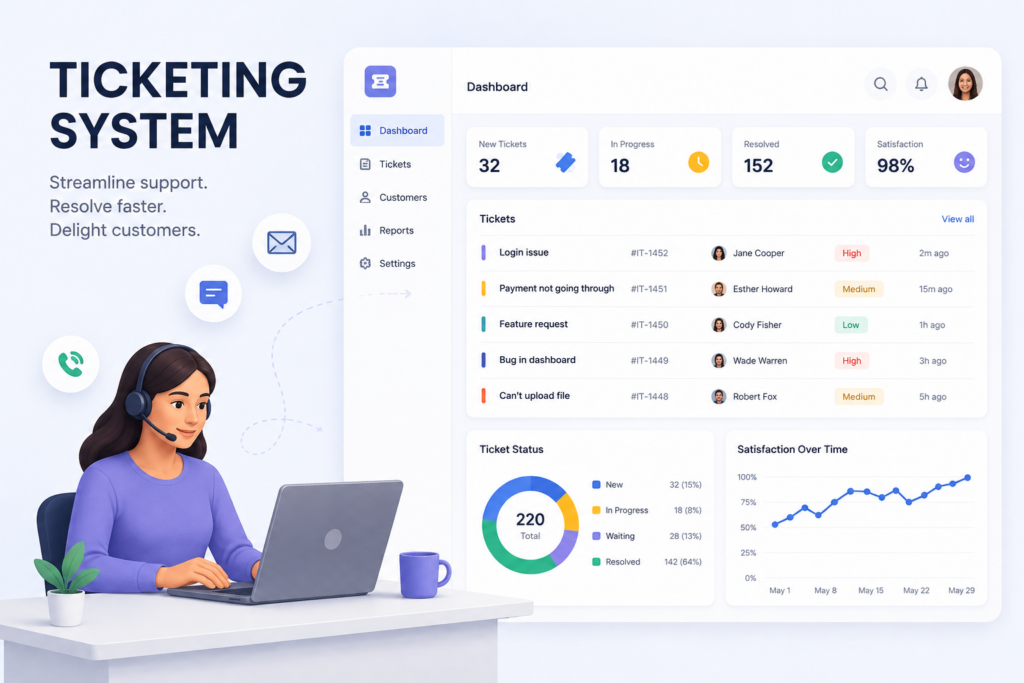
Support service efforts can be easily improved once a centralized control and monitoring network is added to the picture. That’s when questions like “What’s ticketing in customer support and communication management?” can arise.
By the ticketing system definition, it’s all about a special program that is designed to transform incoming queries into individual task notes. So-called tickets across such systems are interaction-forward. They allow members of your team to cooperate with each other, add details, etc., without informing clients about task processing on your end.
These tickets support several communication channels, be it a web form, a phone call, or live chat. Unlike a static knowledge base on the platform, they promote the following:
- ticket (aka issue) tracking and lifecycle management;
- task assignment to AI and human agents (especially within systems like Intelswift);
- reporting and analytics;
- status updates (open, pending, or resolved, for example);
- internal notes and collaboration tools, including tags.
Overall, it’s an excellent approach for centralizing your team’s performance across multiple communication channels and standardizing workflows through an advanced ticketing system.
What’s ticketing system?
A ticketing system is a task- and personalization-driven software application that converts incoming queries from customers into a unified form for professional processing for businesses. What’s ticketing process about? Here is how it works:
- Ticket creation — a phone call, an email, or an online query submitted through the platform is generated as a ticket within the system. Not only does it contain crucial details about the current inquiry, but it also links it to previous interactions, notes, etc., within the network.
- Categorization — the system automatically adds this new creation to distinctive folders by class, urgency, and other chosen parameters.
- Assignment — it redirects the incoming query to the best party for its resolution, be it an AI or a human agent.
- Completion — you will get notifications about ticket progress and be able to continue your communication with the client if needed.
Role of the ticketing system in business
According to statistics, the help desk software market is projected to surpass $23.5 billion by 2035. Its rapid expansion at a more than 9% CAGR showcases the momentum of such systems, the reason for which lies in their customizable multifunctionality. One of the many reasons to say “yes” to this task management approach lies in its speed. In comparison with standard email-based communication, such systems allow for reducing the response times by up to 60%, especially when it comes to AI-empowered tools for tickets.
What’s ticketing for your business, then? It can become a central force for boosting customer support services:
- centralized customer communication across channels (for instance, Shared Inbox in the Intelswift ticketing system);
- standardized response and resolution processes, with faster execution overall;
- streamlined resource allocation and responsibility assignment across the system, with maximum visibility, trackability, and accountability in mind;
- track issue program from A to Z, etc.
With modern AI-forward tools, you can bring together all your chats and static assistance instruments like your company’s knowledge base under the same roof.
Ticketing system advantages for contact centers
While there are multiple applications for ticketing systems across markets, including HR and IT service management, they are especially effective for contact centers. In this scenario, the answer to “What’s ticketing?” is a second-to-none blending of perks to rely on. It allows for transitioning from tickets to elevated customer satisfaction in a few clicks.
Improved agent performance productivity
The use of ticketing systems is a high way to handle high volumes of repetitive inquiries. AI-powered solutions like Intelswift automate such flows and reroute queries across channels to the best responsible member of the team, be it a human or an AI agent. You will be able to switch from prioritized queues without issues, while virtual assistants will deal with routine tasks on your behalf. Thanks to this AI automation approach in modern ticketing systems, up to 80% of repetitive inquiries can be solved without human intervention.
Faster response and resolution times
Not only are requests automatically filtered and categorized across these advanced systems, but their resolution is also enhanced through canned replies, high-quality routing, and AI-forward task completion. Algother, this allows for more effective performance of contact centers, letting them handle large volumes of work in a streamlined manner.
Data-driven decision-making
Your company’s ticketing system becomes a central element behind analytics, statistics, and reporting. It can generate valuable insights on:
- average response times;
- resolution times;
- ticket backlog;
- agent performance;
- peak support hours, etc.
This way, you personalize your contact center’s experience and fill in its gaps, e.g., switching to a human agent in controversial or challenging communication scenarios where a knowledge base and AI pairing isn’t sufficient alone.
Scalability for high volumes
Instead of manually replying to incoming messages across multiple communication channels, you reduce this type of processing with a uniform ticketing system. With more advanced technologies to come, such as APIs, AI-based automation, and so on, your team will be able to complete more tasks without compromising their customer service quality or losing control of the ever-changing workflows.
Enhanced accountability
A ticketing system can assist with coordination between different departments and members of your team. It adds more visibility to the non-stop flow of inquiries, with the opportunity to add tags and internal notes for easier operations on your end. In turn, it also elevates accountability since all the actions taken are recorded and monitored.
How to use Intelswift ticketing system
What’s ticketing in Inteswift? It’s a single workspace that promotes automated task completion and advanced ticket management. Teams across departments can easily cooperate and manage chats across several channels more effectively with the help of AI-empowered instruments.
1. Access the HelpDesk Inbox
First things first, sign in to your Intelswift account and navigate to HelpDesk from the left side of the interface. This workspace is the central element, which lets you access other features in a few clicks.
2. Coordinate conversations with the Organization Panel
The next step is to hit the “Filter” button at the top left of your conversation list in the menu and choose the “Organization Panel” feature. That’s when you can switch between different communication channels and streamline your performance:
- Views — for browsing through communication types, namely, Chats, Emails, Calls, and Tickets (your priority in this case).
- Inbox — for managing your workload and task ownership between All Conversations, My Conversation, and AI Conversation tabs. Mentions and Unassigned are included as separate categories, too.
- Segments — for automatically categorizing the incoming inquiries by department, type, etc. You can customize this display and set up as many segments as required. This list can include such options as Product Functionality, Onboarding & Setup, Billing & Payments, General Support Service, etc.
3. Support customers in multiple languages
Don’t overlook built-in communication optimization tools. Support your global reach while satisfying end-user needs for fast response times. Check control buttons above the conversation list:
- Translate to — it implies the automated translation of client inquiries into the target language. You can choose the best option from the list, e.g., Afrikaans, Estonian, Japanese, etc.
- Reply in the customer’s language — this toggle lets you auto-translate the outgoing data and generate responses in the client’s original language.
4. Review customer information from the Contact Panel
With the help of real-time notifications, you won’t miss out on any ticket updates in the Intelswift ecosystem. The “Contact Panel” feature is excessive on the right. All you need to do is select the target conversation from the list, hit the profile icon, and read all the chat-related details, including the linked/past tickets, tags, and customer support notes.
5. Take over conversations from the AI agent
Ticket resolution can be handled with Intelswift’s AI agent. However, when human intervention is required, you are one click away from doing so. In the ticket or live chat, trigger the “Take Over” mode for this goal.
6. Use Swift Copilot during ticket resolution
Once you are in, you aren’t restricted to using AI-empowered tools in the ticketing system. With uninterrupted access to Swift Copilot, support agents can complete their tasks faster while providing business-oriented and accurate responses.
Swift Copilot relies on your company’s knowledge base to deliver the best assistance. Here is how it can help you manage your tickets:
- Highlight and Ask — copy the target answer from the client’s side and click on the “Ask Copilot” command. The system will automatically generate the data-driven response. Hit “Insert to Composer” to add it directly to the ticket.
- Manual use — otherwise, you can directly type your query in the Swift Copilot chat and use that data for completing tickets across your business systems in one convenient interface from Intelswift.
Final word
When answering “What’s ticketing?” and the like, companies should understand their operational needs first. It will help them narrow down the palette of available tools and systems for advanced task management, increased customer satisfaction, and other perks. If you are looking for all-in-one systems for greater standards of support service and business-oriented operational flows, Intelswift will be a nice choice for both startups and more seasoned companies across industries.